Crispforms has a new home: the app now lives at form.crispforms.com Open the new app
More than a form builder

CrispForms vs Tally:
A Form Builder, or a Whole Back Office?

Tally is loved for fast, document-style form creation. CrispForms is a beautiful form builder with a brain: build single-page or conversational forms, then turn responses into CRM contacts, bookings, payments, and automations, all in one place.

Competitor type

Notion-style form builder

Quick verdict

Choose CrispForms when you want the form and the system behind it, a built-in CRM, calendar, and checkout, not just a quick way to publish fields.

The Practical Positioning

Both tools can collect responses. The difference is what happens next: a form-only tool stops at the submission, while CrispForms turns each one into a contact, a booking, a payment, or an automation.

T

Tally

Notion-style form builder

Tally is great for creators who like a lightweight, Notion-inspired editor and want to publish straightforward forms quickly, then export or connect the data elsewhere.

Best when you need:

  • Quick document-style forms with a minimal editor
  • Creators who want to publish simple forms fast
  • Collection that does not need a CRM, bookings, or payments built in
FORM BUILDER + PLATFORM

CrispForms

Forms plus CRM, calendar, and checkout

CrispForms is the form builder that doubles as your CRM, calendar, and checkout, with server-side logic and scoring, Smart Insights, and a back office that runs after every submission.

Best when you need:

  • Teams that want responses to become contacts, bookings, and payments automatically
  • Product recommendation quizzes with server-side scoring
  • Creators selling products or booking calls straight from a form

Feature-by-Feature Comparison

A practical view of how CrispForms and Tally compare for everyday form workflows.

Area CrispForms Tally Takeaway
What happens after submit Responses become CRM contacts, bookings, payments, and automations. Submissions are collected and exported or forwarded. CrispForms is a platform; Tally is a form builder.
CRM and contacts Built-in CRM with merged profiles, tasks, and an activity timeline. No native CRM. CrispForms keeps people and history in one place.
Bookings and payments Booking calendar with Google sync plus payments via your own processor. Basic payment integrations; no native scheduling. CrispForms handles appointments and checkout natively.
Logic and insights Server-side branching and scoring plus a completion-by-question funnel. Conditional logic and calculations on a document-style page. CrispForms keeps scoring tamper-proof and surfaces drop-off.
Best fit Teams that want forms plus CRM, calendar, checkout, and automations. Fast, lightweight forms with a minimal writing workflow. Pick based on whether you need a back office or just a form.

Why Teams Choose CrispForms

CrispForms pairs a beautiful, conversion-focused builder with the back office that runs after the submission: CRM, bookings, payments, and automations.

A back office, not just a form

Responses become merged CRM contacts, can book a time on your Google Calendar, and can take a payment through your own Stripe or PayPal, automatically.

Smart Insights and a drop-off funnel

See plain-language highlights, top answers, and the exact question where people quit, without stitching together extra analytics.

Sell and schedule in the form

A products block turns any form into a checkout, and a booking block adds round-robin scheduling, capabilities a simple form builder lacks.

Migration plan

Switching from Tally

Treat migration as a chance to do more than rebuild forms. Connect responses to your new CRM, bookings, payments, and automations so the data starts working the moment it lands.

  1. 1

    Identify Tally forms that are used on public pages, ad campaigns, or sales workflows.

  2. 2

    Rebuild them as single-page or conversational forms in CrispForms with clearer question order.

  3. 3

    Recreate conditional logic and scoring with the server-side engine.

  4. 4

    Turn on the back office: contacts, booking and payment blocks, and integrations for each target page.

  5. 5

    Compare completion, drop-off, and the contacts and bookings created before retiring the old form.

More Than a Form

A polished respondent experience up front, and a built-in CRM, calendar, payments, and automations behind it, all in one place.

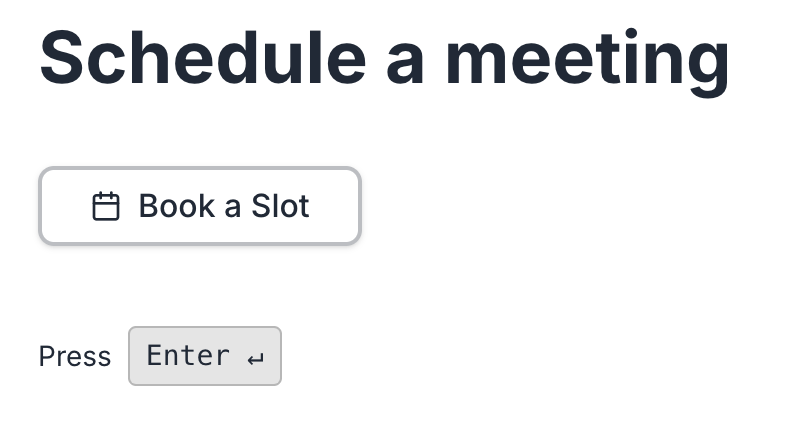
Calendar & bookings screenshot in CrispForms

Calendar & bookings

Add a booking block, sync with Google Calendar, and let respondents pick a real available time with round-robin host assignment.

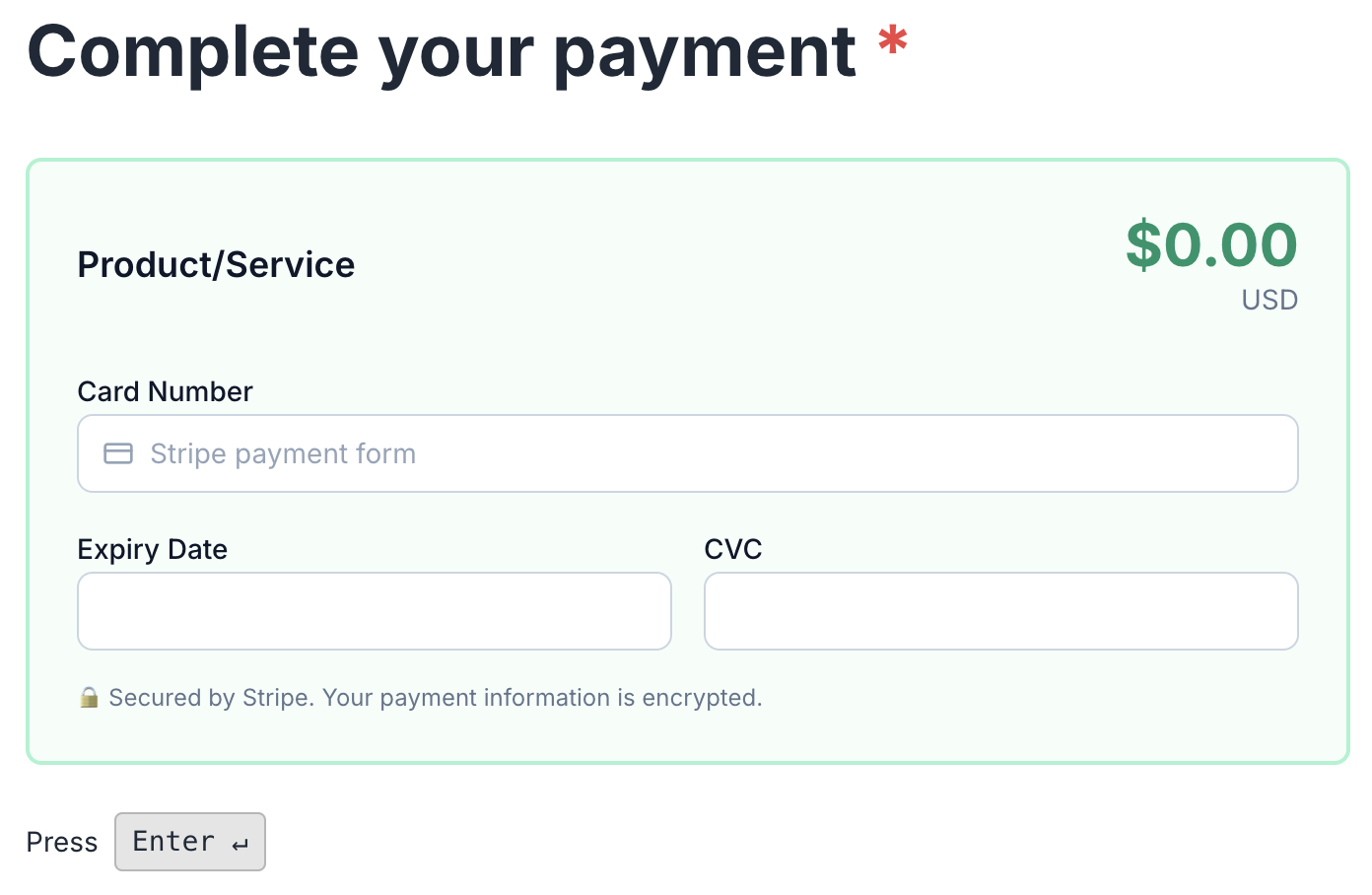
Payments & checkout screenshot in CrispForms

Payments & checkout

Charge through your own Stripe or PayPal, sell digital or physical products, and let every form double as a checkout.

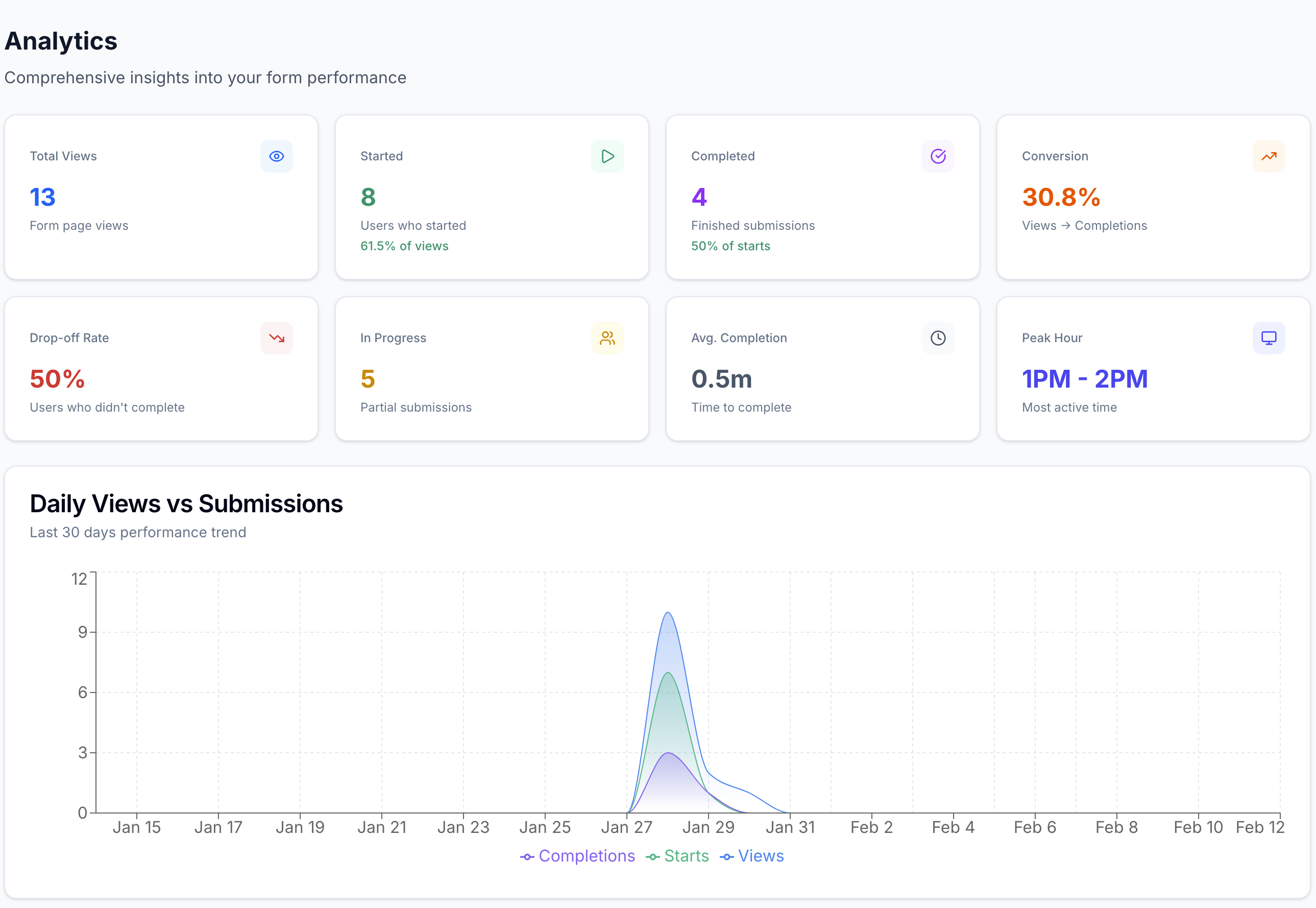
Smart Insights & analytics screenshot in CrispForms

Smart Insights & analytics

Track views, starts, completions, and the exact drop-off question, with plain-language highlights after launch.

Frequently Asked Questions

Short answers for teams evaluating CrispForms and Tally.

Is CrispForms a Tally alternative?

Yes, and it does more. CrispForms builds beautiful single-page and conversational forms, then adds a built-in CRM, bookings, payments, and automations that Tally leaves to other tools.

When should I keep using Tally?

Keep Tally for simple document-style forms where speed and a minimal editor are the only priorities and you do not need a CRM, scheduling, or checkout.

Can CrispForms collect payments and bookings like a platform?

Yes. CrispForms includes a booking calendar with Google Calendar sync and round-robin hosts, plus payments and a product catalog that run through your own Stripe or PayPal.

Ready for Forms That Run Your Back Office?

Build your first CrispForms form in minutes, then watch responses become contacts, bookings, payments, and automations, all in one place. Start on the Free plan with 50 responses a month.