Limited Time Offer: Get CrispForms Pro for life at just $149 Claim Now
Focused Fillout alternative

CrispForms vs Fillout:
Which Form Builder Fits Better?

Fillout is flexible and strong for data-connected forms. CrispForms is more focused on conversational forms, surveys, and quizzes that feel polished for respondents and easy for marketers to ship.

Competitor type

Flexible form builder

Quick verdict

Choose CrispForms when you want a focused, conversion-friendly form builder rather than a highly configurable data collection workspace.

The Practical Positioning

Both tools can collect responses. The better choice depends on the job your forms need to do.

F

Fillout

Flexible form builder

Fillout works well for teams that want flexible forms connected to databases, Airtable-style workflows, or more technical back-office use cases.

Best when you need:

  • Teams building forms around database or spreadsheet-like systems
  • Operational workflows where the form is a front end to structured data
  • Users who want deep configuration and are comfortable with more setup choices
BEST FOR CONVERSIONS

CrispForms

Conversational forms, surveys, and quizzes

CrispForms works best for customer-facing forms where quick creation, clean design, branching, scoring, analytics, and embeds are the daily workflow.

Best when you need:

  • Marketing and product teams building lead forms, quizzes, and feedback surveys
  • Small teams that want to launch polished forms without technical setup
  • Sites that need multiple embed modes and a clean respondent experience

Feature-by-Feature Comparison

A practical view of how CrispForms and Fillout compare for everyday form workflows.

Area CrispForms Fillout Takeaway
Primary focus Conversational forms, surveys, quizzes, and lead capture. Flexible forms often used with data-connected workflows. CrispForms is more focused for teams optimizing respondent experience.
Setup complexity Streamlined builder for common public-facing use cases. Powerful options for structured data workflows. CrispForms can feel faster when you do not need advanced data configuration.
Analytics Built-in views, starts, completions, and drop-off tracking. Reporting depends on setup and connected tools. CrispForms gives marketers a direct feedback loop.
Quizzes Scoring and quiz flows are a natural fit. Flexible enough for many flows, with more setup choices. CrispForms is simpler for recommendation quizzes and qualification forms.
Best fit Customer-facing conversion and feedback workflows. Data-connected forms and operational workflows. The right choice depends on whether the main job is engagement or data structure.

Why Teams Choose CrispForms

CrispForms is intentionally focused on the workflows where form experience directly affects results.

Less configuration overhead

CrispForms keeps common marketing and survey workflows close to the surface.

Respondent-first design

The one-question conversational flow reduces visual clutter and helps forms feel easier to complete.

Useful analytics

Completion and drop-off reporting helps you improve forms after launch.

Migration plan

Switching from Fillout

Treat migration as a chance to shorten old forms, remove low-value questions, and turn static pages into higher-completion conversations.

  1. 1

    Separate customer-facing Fillout forms from internal operational forms.

  2. 2

    Move public forms with marketing or feedback goals into CrispForms first.

  3. 3

    Rebuild logic, scoring, and confirmation messages inside CrispForms.

  4. 4

    Reconnect submission destinations through Google Sheets, notifications, or webhooks.

  5. 5

    Update website embeds and monitor completion rates after the switch.

Built for Modern Form Workflows

CrispForms combines a polished respondent experience with the practical tools teams need after launch.

AI form generation screenshot in CrispForms

AI form generation

Draft forms from a plain-English prompt, then refine questions, logic, and copy before publishing.

Logic builder screenshot in CrispForms

Logic builder

Create branching paths for lead qualification, feedback follow-ups, product matching, and quizzes.

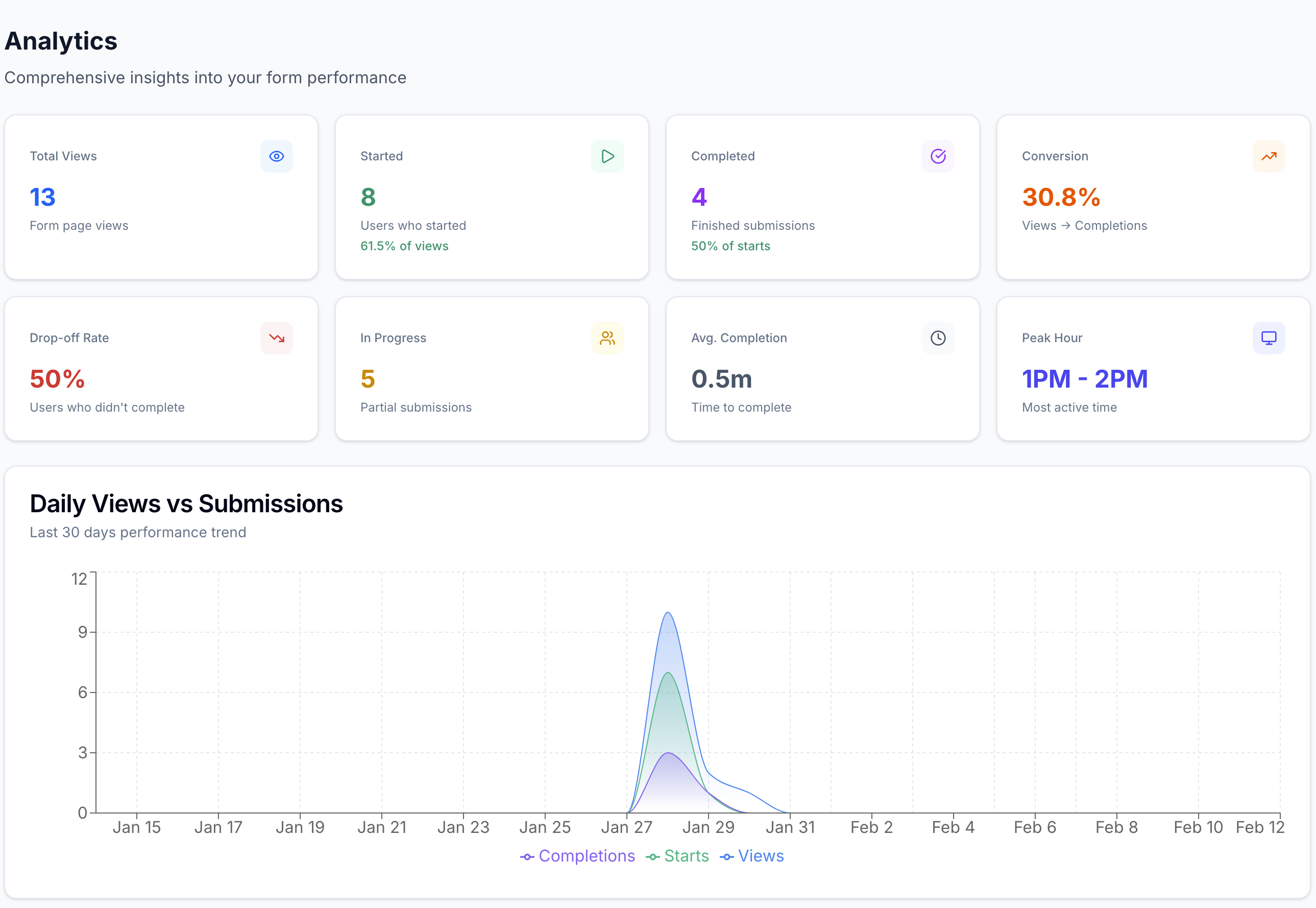
Analytics dashboard screenshot in CrispForms

Analytics dashboard

Track views, starts, completions, and drop-off so every form can improve after launch.

Frequently Asked Questions

Short answers for teams evaluating CrispForms and Fillout.

Is CrispForms a Fillout alternative?

Yes. CrispForms is a good Fillout alternative when you want conversational forms, surveys, quizzes, embeds, and analytics without a data-heavy setup.

When is Fillout a better choice?

Fillout can be better when the form is tightly connected to a database-style workflow or when deep configuration is the primary requirement.

Can CrispForms handle quizzes and lead qualification?

Yes. CrispForms includes logic and scoring workflows that are well suited for quizzes, recommendations, and lead qualification.

Ready to Try a More Conversational Alternative?

Build your first CrispForms form in minutes. Start with a lead form, feedback survey, quiz, registration flow, or any customer-facing form that deserves a better experience.